Skip to content
Highvance

Reach the customer before the rider does.

The agent reaches customers before the rider arrives, confirms substitutions for items that are out of stock and passes delivery details to the order record, so the handover happens the first time.

Book a live demo
AI voice calls from ₹5 per minute. No platform fee.Get custom pricing based on your volume requirement
Choose an agent
Tara
COD confirmation agent · Loom & Lane (demo brand)
Language

Scripted demo: ask to change the size before it ships. The agent is an AI.

Prefer your phone? Call [Public number]
Imran A.
Highvance Brain · Ecommerce
Demo data
Order
Change asked
Address
Status
Scoring after call

The memory card fills as the agent learns. The same record follows the customer to WhatsApp, email and chat.

Remembers for every customerCart contentsAddress confirmationsObjections

Demo agent shared with the D2C segment.

Where money leaks

The places ecommerce teams lose customers today, what the agent does about each, and what to measure once it is live.

No promised percentages. Every card ends with the number you should track in your own reports.

Confirm both waysLoop closed

Customers unreachable at delivery

  1. What goes wrong
    The rider arrives, the customer does not pick up, and the order waits or goes back.
  2. What the agent does
    The agent calls ahead to confirm the customer is available and the address is right.
  3. Features it uses
    Calls triggered from CRM events or the APIRetriesCRM updates
  4. What to measure
    Failed handovers before and after pre-delivery calls.
Confirm both waysLoop closed

Out-of-stock substitutions nobody confirms

  1. What goes wrong
    An item is out of stock, and the substitute is sent without asking or the order is held.
  2. What the agent does
    The agent offers the substitute and records the customer's choice before packing finishes.
  3. Features it uses
    Live data lookupCRM updatesWhatsApp after the call
  4. What to measure
    Substitutions accepted, and orders completed without a complaint.
Confirm both waysLoop closed

Rider and customer can't find each other

  1. What goes wrong
    Riders wait while customers miss calls or give unclear directions.
  2. What the agent does
    The agent takes landmark and gate details and updates the order record for the rider.
  3. Features it uses
    Inbound and outbound callsCRM updatesWorkflows
  4. What to measure
    Time at the door, and deliveries completed on the first attempt.
Handle the rushLoop closed

High-volume, low-ticket complaints

  1. What goes wrong
    Missing items and late orders flood support, and each ticket is small.
  2. What the agent does
    The agent takes the complaint, checks the order and logs the outcome, handing only exceptions to a person.
  3. Features it uses
    Inbound callsLive data lookupCall transfer
  4. What to measure
    Complaints resolved without a person, and time to resolution.
Reach out firstLoop closed

Customers who never reorder

  1. What goes wrong
    Customers buy once and drift to another app.
  2. What the agent does
    The agent reminds customers to reorder their regular items.
  3. Features it uses
    CampaignsCentral AI memoryWhatsApp after the call
  4. What to measure
    Reorders from reminded customers against those not reminded.
Custom on request

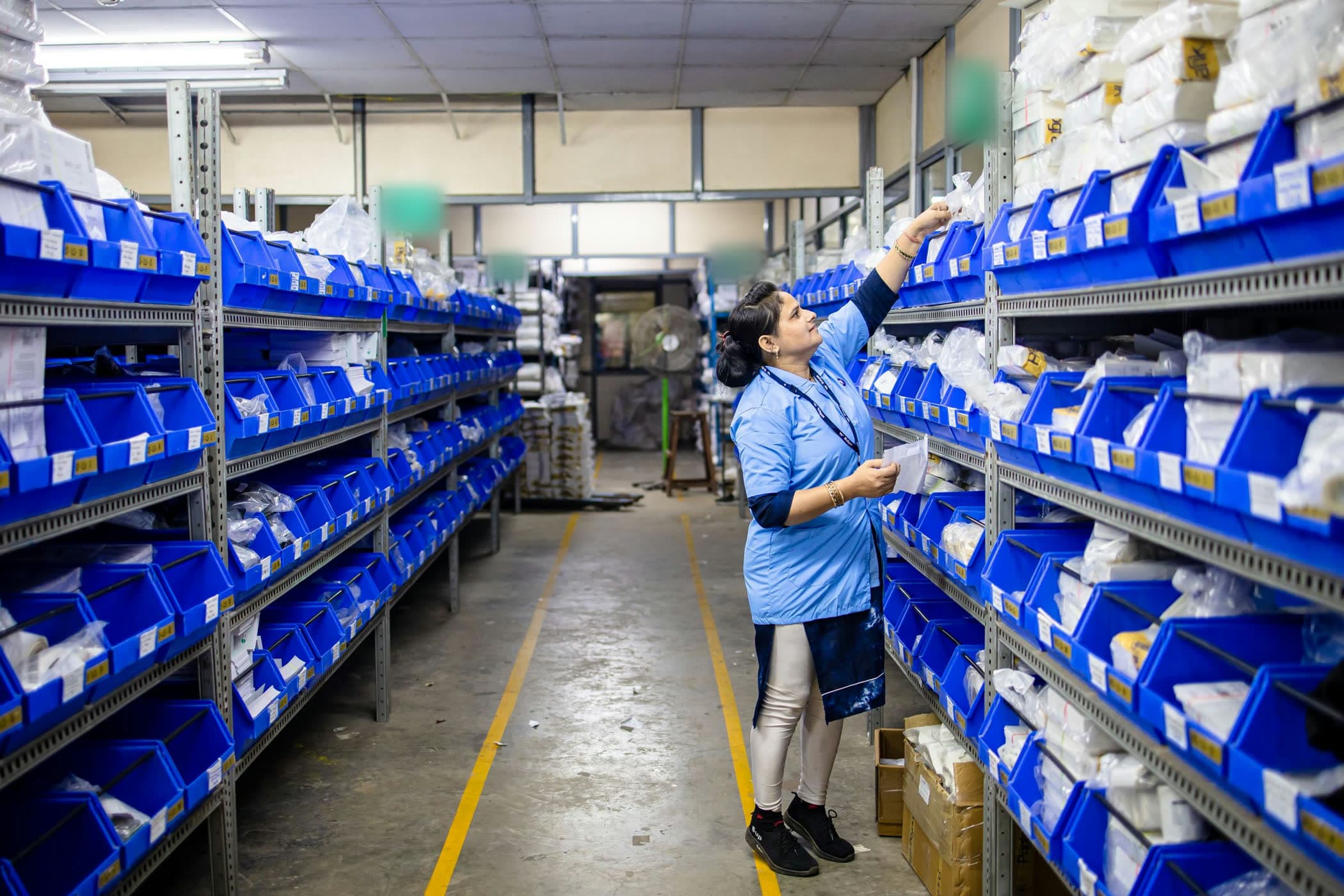
Dark-store staffing coordination

A warehouse worker in a light-blue uniform sorts parcels in long aisles of blue storage bins.

One record per customer: cart contents, address confirmations, objections.

Every COD order is confirmed by phone before it leaves the warehouse.

Hear a real call

A recorded call from a Highvance agent. The transcript follows the audio. Tap any line to hear it.

On every ecommerce call the agent listens for

  • Cart contents
  • Address confirmations
  • Objections

Each answer is saved to the customer record with the moment it was said, then follows the customer to WhatsApp, email and chat.

Recorded call· Ecommerce · quick-commerce

Out-of-stock substitution on a live order

Riya· AI agentLanguages: hienCartify· demo brand[Consent review pending]
00:00 / 01:03

Transcript

Tap a line to hear it

From first lead to reporting

Voice carries most of the journey. Each step names the feature doing the work.

AI voice agent · 5 of 9 stepsPlatform
  1. Order placed

    A COD order reaches Highvance from your store, CRM, the API or a webhook.

    • Calls triggered from CRM events or the API
  2. VoiceStep 2
    Checked before the call

    Calling hours, DND, consent and frequency limits are checked before the agent dials.

    Pre-call checks
  3. VoiceStep 3
    Confirmation call

    The agent confirms the item, size, amount and address before dispatch.

    Outbound AI voice agent
  4. VoiceStep 4
    Change handled live

    If the customer wants a different size, the agent checks live stock and offers it.

    Live data lookup
  5. VoiceStep 5
    Order updated

    The change, the confirmed address and any objection are written to the order record.

    CRM data extraction
  6. Confirmation on WhatsApp

    The confirmed order goes out as a WhatsApp template filled from the call.

    • WhatsApp after the call
  7. VoiceStep 7
    No answer, try again

    Busy, no answer and voicemail are retried with the attempts and interval you set.

    Retries
  8. Ship or hold

    A workflow tags each order confirmed, changed or unconfirmed for your dispatch team.

    • Workflows and tags
  9. Reporting

    Confirmed, changed and cancelled orders, with the reasons customers gave.

    • Call logs and reporting
  1. Order placed

    A COD order reaches Highvance from your store, CRM, the API or a webhook.

    • Calls triggered from CRM events or the API
  2. VoiceStep 2
    Checked before the call

    Calling hours, DND, consent and frequency limits are checked before the agent dials.

    Pre-call checks
  3. VoiceStep 3
    Confirmation call

    The agent confirms the item, size, amount and address before dispatch.

    Outbound AI voice agent
  4. VoiceStep 4
    Change handled live

    If the customer wants a different size, the agent checks live stock and offers it.

    Live data lookup
  5. VoiceStep 5
    Order updated

    The change, the confirmed address and any objection are written to the order record.

    CRM data extraction
  6. Confirmation on WhatsApp

    The confirmed order goes out as a WhatsApp template filled from the call.

    • WhatsApp after the call
  7. VoiceStep 7
    No answer, try again

    Busy, no answer and voicemail are retried with the attempts and interval you set.

    Retries
  8. Ship or hold

    A workflow tags each order confirmed, changed or unconfirmed for your dispatch team.

    • Workflows and tags
  9. Reporting

    Confirmed, changed and cancelled orders, with the reasons customers gave.

    • Call logs and reporting

How ecommerce uses the whole platform

Voice leads. Chat, CRM, automation, the team inbox and compliance all work on the same customer record.

See every voice feature

24 features across 6 groups

  • COD confirmation callsEvery COD order confirmed by phone before it ships.
  • Live data lookupStock and order status checked mid-call.
  • Inbound calls“Where is my order” calls answered from live order data.
  • CampaignsCart recovery, failed payments, reorders and post-delivery calls.
  • RetriesBusy, no answer and voicemail retried before an order is held.

  • WhatsAppOrder confirmations, payment links and status replies.
  • InstagramComment-to-DM on product posts, with DMs answered by the same AI.
  • Website chatOrder-status and product questions answered at any hour.
  • EmailThreaded order and return conversations.

  • Unified contactOrders from web, Instagram and WhatsApp on one customer record.
  • Custom fieldsOrder ID, COD amount, address confirmed and change asked.
  • TagsConfirmed, changed, cancelled and unreachable.
  • PipelinesOrder placed, confirmed, shipped, delivered, reviewed.

  • WorkflowsStill unconfirmed after retries: hold dispatch and alert your team.
  • A/B routing experimentsTest two confirmation scripts on live orders.
  • Message templatesReusable confirmation, payment and review templates.
  • AI Automation BuilderDescribe your order flow and it builds the workflows and templates for review.

  • Unified inboxCalls, WhatsApp and DMs about an order in one place.
  • Human takeoverExceptions move to your support team with the full conversation.
  • Team routingRound robin across whoever is online.

  • Pre-call checksCalling hours, DND and consent before every call.
  • Recordings and transcriptsProof of what the customer confirmed, stored on the record.
  • Audit logEvery AI and staff change to an order is logged.
  • Outbound message safety engineDuplicate, consent, DND and frequency checks on every message.On request

What our agent will and will not do

Clear limits, set before the first call and kept on every call.

What our agent will do

  • Confirm COD orders, sizes and addresses before dispatch.
  • Capture changes and objections on the order record.
  • Answer order-status questions from live order data.
  • Send confirmations and payment links on WhatsApp.

What our agent will not do

  • Decide refunds or exceptions. Those go to your team with the full conversation.
  • Call outside your calling hours, or call anyone who fails the DND and consent checks.
  • Pretend to be a person. The agent says it is an AI.
A delivery rider with a parcel box on his motorbike, streaking across an amber-lit Bengaluru street at night.

The same customer record your front office fills, working for the back office too.

For the operations team

What happens after the first call, handled on the same record.

  • Address correction before dispatch

    Corrected addresses and landmarks written to the order before it leaves the warehouse.

  • Return reason capture

    Why customers returned or refused an order, structured into fields you can report on.

  • Order-status deflection

    Status calls answered from live data, so support handles only the exceptions.

  • Review collection

    Post-delivery calls and WhatsApp messages that ask for a review.

Put your own numbers in

Your leads, your costs, your response time. The formula is shown and every assumption can be edited.

Open the full calculator

Ecommerce leads at risk

Example inputs, per month. Use your own.

%
₹
Estimated at risk each month
₹1,50,000

Spent on COD orders that come back. About ₹18 L a year.

5,000 COD orders a month
Return to origin
1,000 return to origin₹1,50,000 at risk
250 won back₹37,500

Recovering 25% of it is worth ₹37,500 a month.

Assumes you recover 25%. These are examples, not benchmarks; change them in the full calculator.

Ecommerce questions

Ask the agent instead
It answers in Hindi, Hinglish or English, and it is an AI.
Book a live demo

Orders reach Highvance from your store, CRM, the API or webhooks. The agent can look up order details mid-call and updates the record afterwards.

The agent checks live stock, records the change on the order and sends the updated confirmation on WhatsApp.

The agent retries on busy, no answer and voicemail, with the attempts and interval you set. You decide what happens to orders that stay unconfirmed.

Yes. It answers inbound calls with a live order lookup and hands exceptions to your team.

Yes. The agent can reach customers before the rider does, confirm substitutions and take delivery details. Dark-store staffing coordination is available on request.

We don't quote a figure before we have measured your results. Use the calculator with your own numbers, and see the confirmation flow on your orders in your demo.

Hear an agent handle your kind of call.

Book a live demo. We hear your case, put an agent on your own scenario and show you the platform. Access is set up after the demo.

AI voice calls from ₹5 per minute.

Get custom pricing based on your volume requirement

What happens after you book

  1. A call to hear your case

    We call you to understand your leads, your call volumes and what you want the agent to handle.
  2. A live agent on your scenario

    You hear an agent handle your kind of call. All Indian regional & global languages are supported.
  3. A tour of the platform

    See calls, WhatsApp follow-ups and the customer record work together in the Highvance Brain.
  4. Next steps

    If it fits, Highvance sets up your access. There is no sign-up and no free trial.

Step 1 of 2

Where should we reach you?

We save this as soon as you continue, so our team can reach you even if you stop here.

A WhatsApp number works best. Your confirmation arrives there.

We use these details to arrange your demo. See our privacy policy.

Book a live demo